
Open-source telematics app for iOS and Android. Perfect for testing our SDK, building your own solution, or launching a white-label telematics app in weeks instead of months.
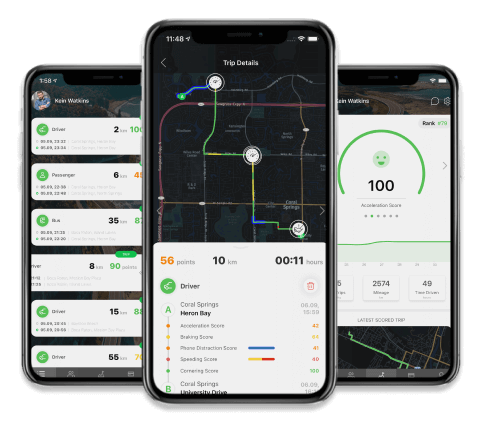
A free tracking and safe-driving app that captures location, driving style, driving behavior, driving patterns, lifestyle insights, and vehicle data — plus crash monitoring. It was built to showcase the capabilities of the Telematics SDK and platform.
The ZenRoad source code is available to help developers and teams build products that improve driver safety and efficiency — and create new experiences for drivers.
ZenRoad goes beyond a typical vehicle logbook, mileage tracker, insurance telematics app, driving behavior tracker, or trip log app by combining advanced telematics data collection with richer analytics and monitoring.
The source-code is available on GitHub for iOS and Android.


Everything you need to launch a complete telematics solution.

Seamless integration with Firebase for authentication and real-time updates
Complete iOS and Android apps with full source code available on GitHub
Comprehensive web dashboard for managing users, trips, and analytics
Enterprise-grade backend infrastructure for processing and storing telematics data
Powerful analytics tools and RESTful APIs for data access and integration
Data privacy and personal data protection are built in. With the open-source telematics app, personal user data can be managed directly and hosted in a region that fits your compliance requirements.
The app integrates with Google Firebase, which can be used for authentication and personal data hosting.
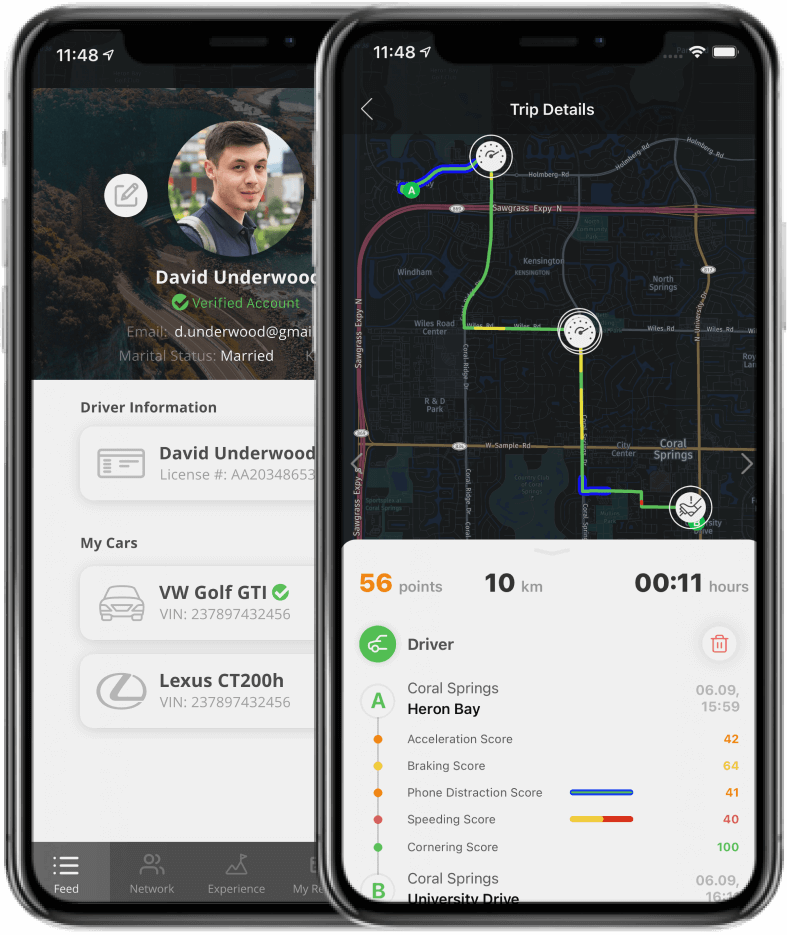
A full set of data management services is available, including short-term and long-term storage. Flexible options are also supported, allowing data to be exported to your own server at any time.
Simple steps to start using Zenroad.
Create your free developer account to access the Damoov platform and get your API credentials.
Access the complete source code for both iOS and Android versions from our GitHub repository.
Follow our comprehensive documentation to configure your product settings and customize features.
Download the source code from GitHub. Choose iOS (Angular) or Android (Kotlin) based on your target platform.
Sign up for a free Damoov account and get your API credentials. Add them to the app configuration file.
Install dependencies and run the app on your device or simulator. Start tracking trips immediately!
This telematics app is developed by Damoov and distributed free of charge. Use it as a foundation to build your own telematics, tracking, driver monitoring, or safe-driving app for Android and iOS in just a few steps.
In file AppConfig.kt you can specify the basic settings for your app. To use your unique applicationId for your application, change applicationIdPrefix and name:
					const val applicationIdPrefix = “com.your_application_prefix”
private const val name = “your_application_name”
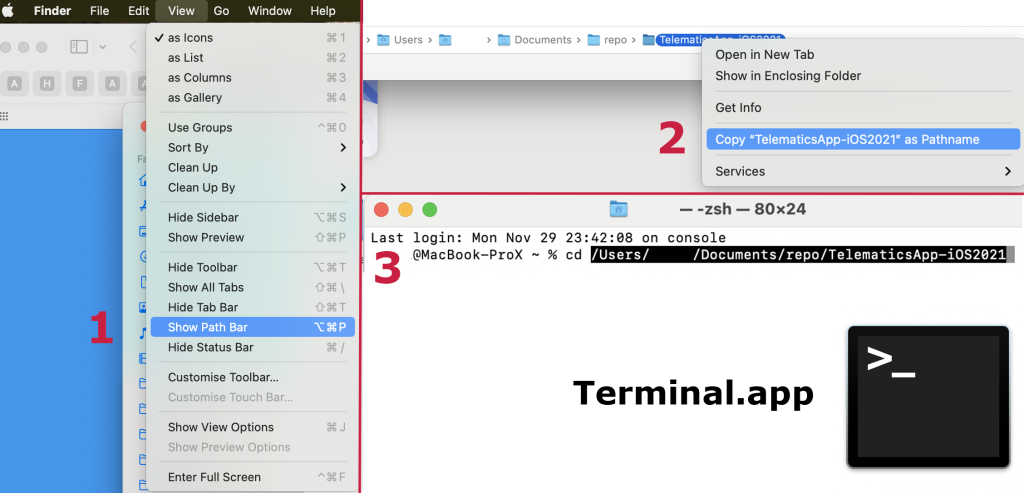
Open our Telematics App source code by tapping TelematicsApp.xcworkspace file.
For easier setup, a standard iOS configuration file (Configuration.plist) is included. Use it to define core app parameters — server endpoints, key settings, links, and a set of images for basic branding and custom design.
Join our growing community of developers building with Zenroad.
Ask questions, share ideas, and collaborate with other developers using Zenroad.
Comprehensive guides, API references, and tutorials to help you get the most out of Zenroad.
Get help from our team with integration issues, customization, or SDK questions.
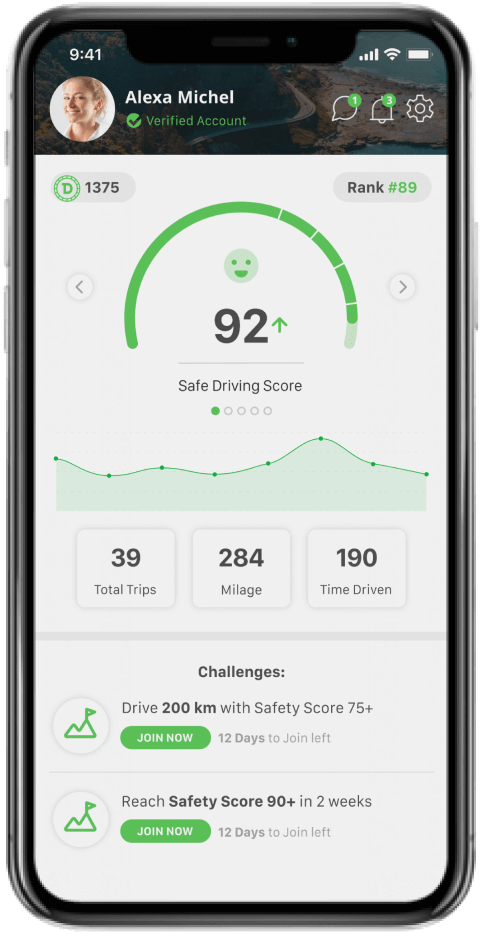
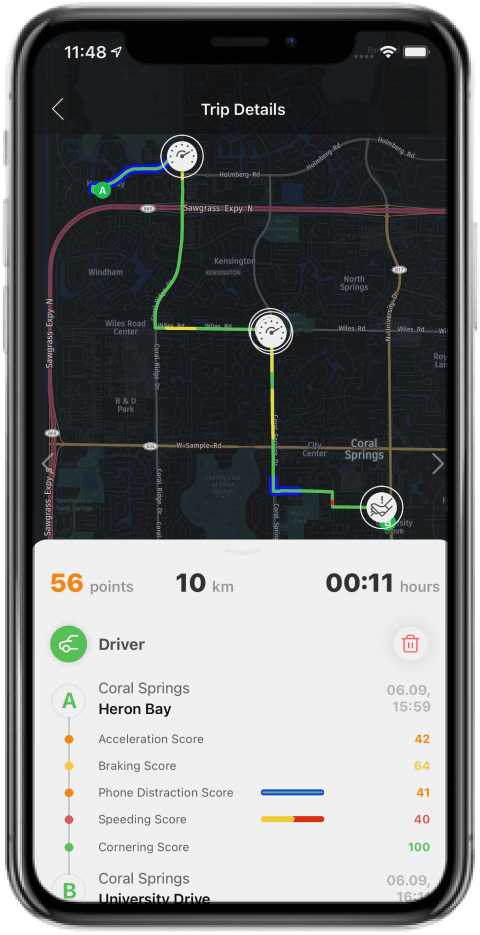
The app captures standard telematics events such as acceleration, braking, cornering, speeding, and phone distraction/usage, along with trip statistics like mileage, driving time, and trip frequency.
Scoring includes a configurable Safe Driving Score, an Eco-Driving Score, and engagement features such as DriveCoins, streaks, and leaderboards.
Yes. Event sensitivity (thresholds) and the safe-driving score configuration can be adjusted to match your use case and market needs. Configuration can also be set per user, so different driver groups within the same mobile app can use different event rules and scoring settings.
Read more about our architecture https://docs.damoov.com/docs/high-level-architecture-concept and the existing safe-driving model here: https:/
Real-time incident callbacks are available (e.g., speeding or harsh events), so audible or in-app alerts can be implemented. However, real-time feedback can distract drivers and reduce safety, so the recommended approach is post-trip coaching (trip summaries, scoring, and targeted tips) rather than in-drive notifications.
A driver can stop tracking by closing the app or changing OS permissions. To support program integrity, permission and tracking status changes are monitored, with real-time backend notifications when users manipulate permissions — so teams can quickly detect gaps in data and respond.
Trips can be recorded automatically in the background based on sensor-detected driving activity — no taps required. Manual start/stop and Bluetooth-triggered tracking are also supported when stricter control is needed.
Get started with our comprehensive telematics solution today